New in Useberry: Accept, Return, and Message Participants with Full Control

•
3 min read

Get cleaner user research data with Useberry’s Participant Review. Approve or return submissions, and message participants from recruitment dashboard.
Recruiting participants isn’t just about filling quotas. It’s about collecting the right data from the right people. That’s why we’ve launched Participant Review for studies using our Prolific integration for recruitment.
You now have full control over each submission:
Accept and instantly trigger participant payment
Request a return if the submission doesn’t meet your standards
Message participants directly to clarify unclear answers or follow up
All from inside your Useberry dashboard, with just the click of a button:
A More Transparent, Researcher and Participant-Friendly Review Flow
Until now, participant submissions were either passively accepted or required long manual workarounds. The new Participant Review features change that.
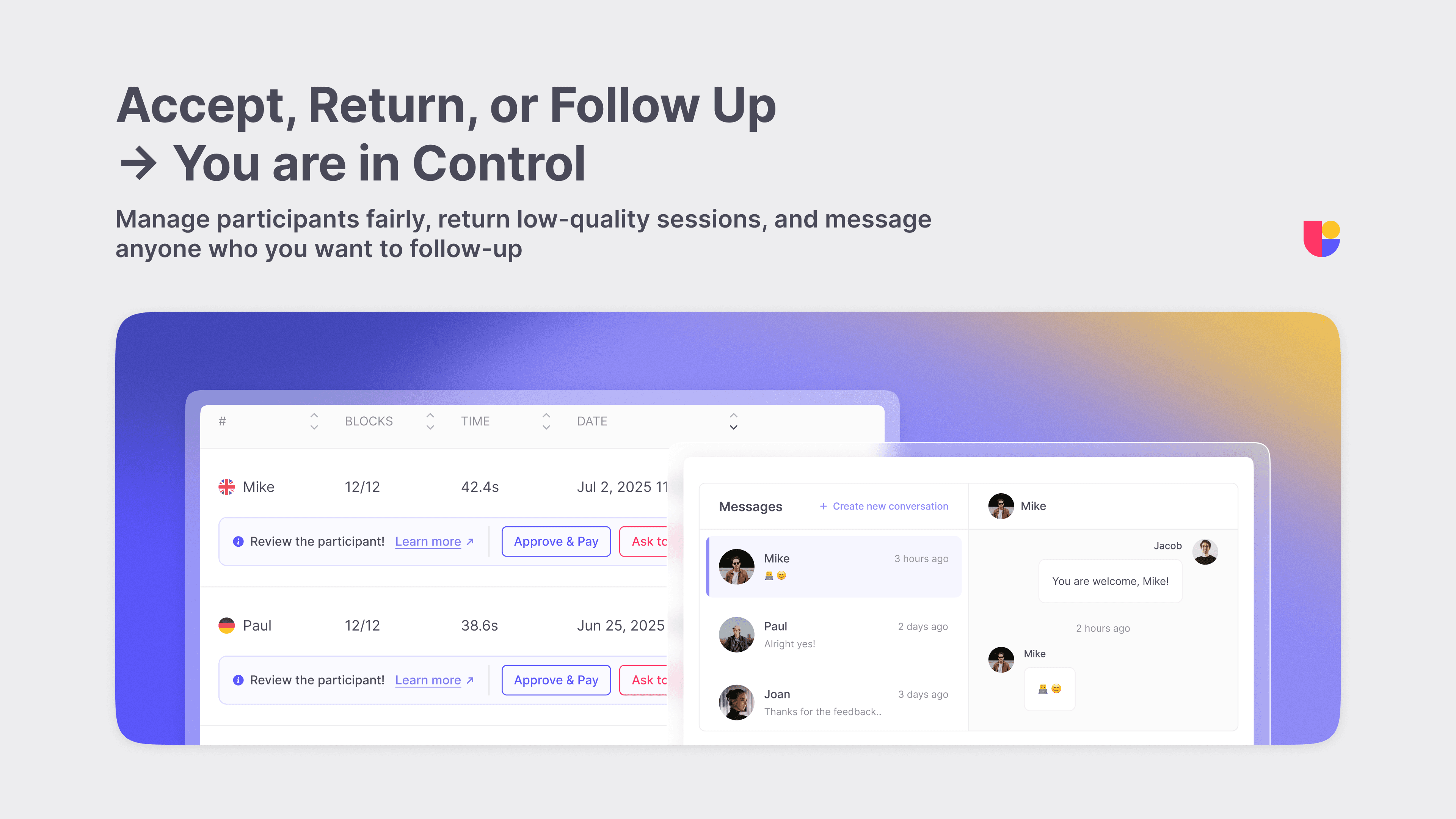
This update gives you:
More control: You decide which sessions stay and which don’t
Cleaner data: Weak or irrelevant responses don’t make it into your results
Human connection: You can communicate with participants in context, professionally, and fairly
Streamlined workflows: Everything happens inside the study dashboard, with clear status updates
Fairness and transparency: Every action is visible to participants, making the process more human and respectful on both sides
Whether you’re clarifying a vague answer, replacing an unsatisfactory participant submission, or protecting your dataset, you now have the capabilities to act from inside your recruitment dashboard.
Use Cases You Can Act On
These updates aren’t just nice to have. They solve real problems and save real time.
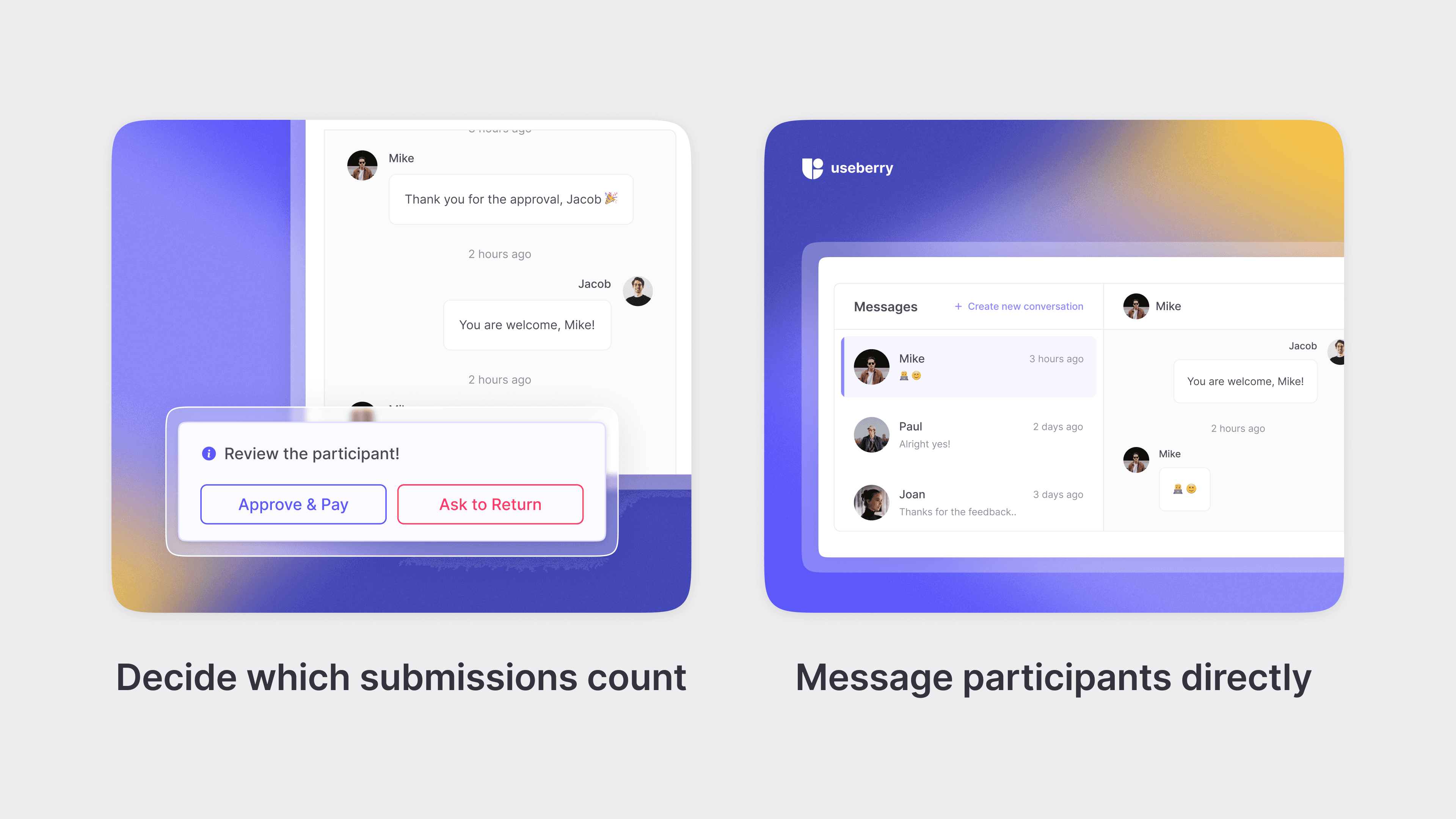
Accept a valid submission and trigger instant participant payment
Message a participant to clarify a confusing response
Request a return if a submission doesn’t meet your expectations, and replace low-quality participants without pausing your study
Protect your results from off-topic or incomplete data
Available Now with the Useberry Participant Pool
Participant Review is available for all studies that use Useberry’s Participant Pool, powered by Prolific. This is a vetted panel of over 200,000 participants across 38+ countries with:
Fast turnaround times, with results in under 2 hours
Over 300 audience filters to help you find the right participants
Built-in quality checks, now with an added layer of Useberry Participant Review
Prefer to Recruit Your Own Users?
If you would rather reach out to your own users, customers, or built-in audience for user testing, our Share Link feature gives you full control in that area as well.
You can:
Add screening questions to qualify participants before they start
Set response limits to control volume and avoid overload
Restrict by device type (mobile, desktop, or tablet)
Enable optional settings like password-protected access or mandatory video recording
Generate a study link instantly and embed or share it anywhere
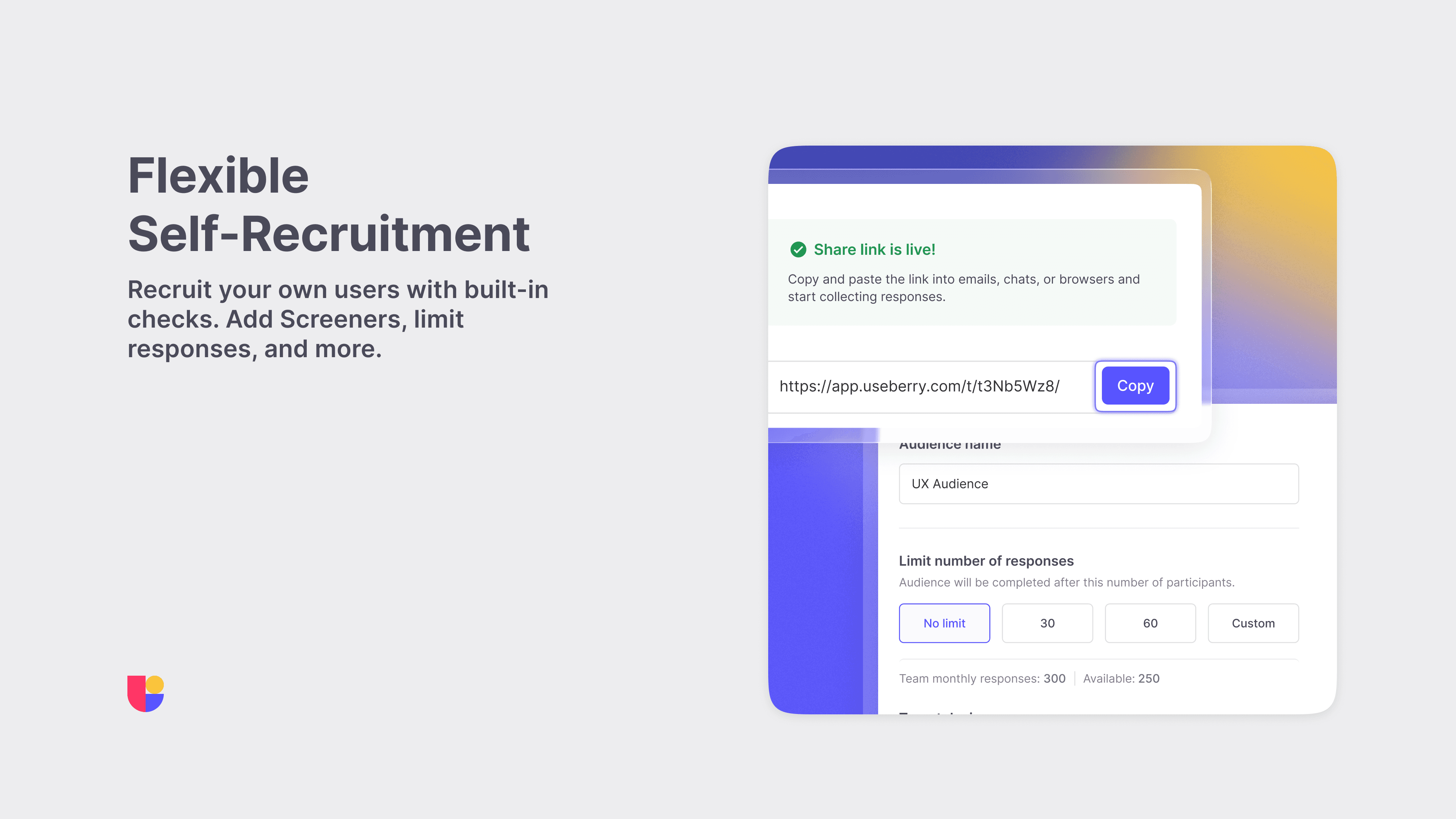
Useberry’s built-in share link feature makes self-recruitment more manageable, reliable, and insight-focused. If the participant pool isn’t the right fit for your study, Share Link might be.
This Update Means One Thing: Better Research
Participant Review isn’t just a new feature. It’s a more transparent, more flexible way to recruit participants and run UX research with confidence. You no longer have to settle for unclear responses or wonder whether someone actually followed instructions. You can respond, decide, and move forward with clarity.
Ready to take control of your participant recruitment? Head to your dashboard to try it out or visit our recruitment page to see all your options.