Tree Testing in UX: When to Use It and What It Actually Tells You

•
5 min read
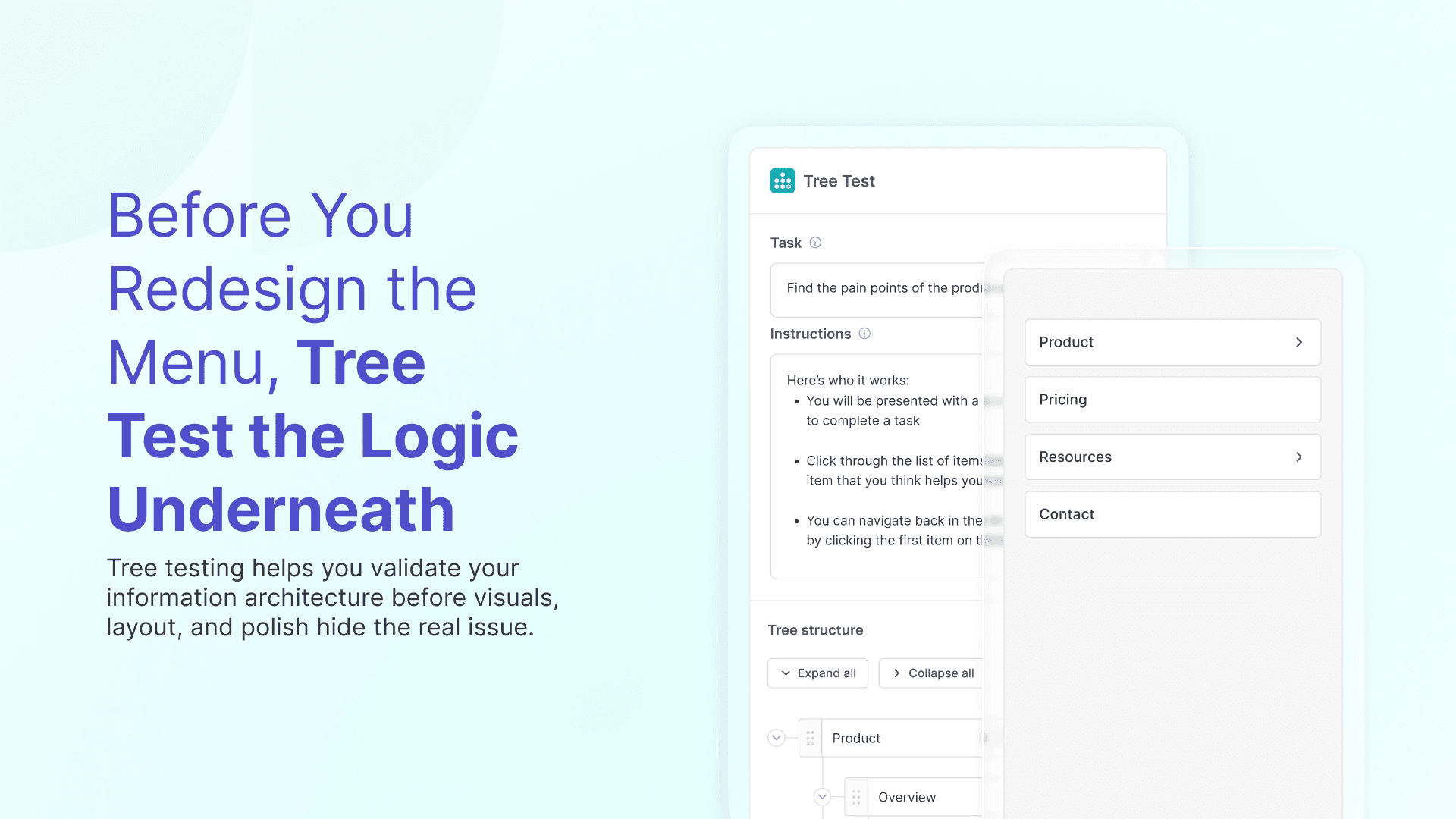
Tree testing helps UX teams validate information architecture by measuring findability before they redesign navigation. This practical guide explains when to use tree testing, how to write better tasks, what results matter most, and how to turn those insights into a clearer structure.
Tree Testing in UX: When to Use It and What It Actually Tells You
Tree testing is one of the most useful UX methods for checking whether people can actually find things in your navigation. It does not test visuals, page layouts, or button styles. It tests the structure underneath them.
That makes tree testing especially valuable when a team already has a draft information architecture and wants to know if it works before redesigning screens, migrating content, or launching a new menu. If card sorting helps you shape the structure, tree testing helps you validate that people can move through it successfully.
This is often the point where teams want a fast reality check. They already have categories, labels, or a hierarchy in place. The question is simple: can users find the right place without getting lost?
What does tree testing actually measure?
Tree testing measures findability. Participants are given a task and asked to navigate through a text-only hierarchy to where they think the answer or destination lives. Because there are no visuals in the way, the test focuses purely on structure and labels.
That means tree testing can tell you:
whether users choose the right category path
where they take wrong turns
which labels create hesitation
how easily your current or proposed IA supports common tasks
This is what makes it different from card sorting. Card sorting helps you understand how people would group and name content. Tree testing checks whether your structure already works as a navigation system.
When should you use tree testing?
Tree testing makes the most sense when you already have something to validate.
A few common examples:
you are planning a new website navigation and want to test it before design starts
you have completed a card sorting study and turned the patterns into a draft IA
you are restructuring a help center, knowledge base, or settings area
users keep getting lost in the same parts of your site and you want to know where the structure is breaking down
If your problem is still “we do not know how users would group this content,” card sorting is usually the better first move. If your problem is “we already have a structure, but we need to know if people can find things in it,” tree testing is the better fit.
How do you write good tree testing tasks?
A tree test is only as useful as the tasks you give people.
A strong task describes a realistic goal without giving away the answer. For example:
Good:
“Where would you go to download an invoice from a previous payment?”
Too vague:
“Find invoices.”
Too leading:
“Go to Billing and open Invoices.”
The best tasks come from real use cases, and sound like something a user would actually want to do. They should reflect real goals, not internal terminology. If the wording feels artificial, participants may be solving the task differently than real users would.
Inside Useberry’s Tree Testing block, keeping tasks short and goal-based makes the results easier to interpret later. If you would like a helping hand to start with, our research templates will speed up your setup and give you a confident start.
What results should you pay attention to?
This is where tree testing becomes especially useful for product teams and stakeholders. The results are clear enough that they can drive decisions quickly.
The main things to look at are:
success rate, meaning how often participants reached the correct destination
first click or first choice, showing whether people start in the right place
wrong turns, which reveal confusing labels or overlapping categories
time and hesitation, which help you spot structures that technically work but still feel effortful
If a lot of participants eventually reach the correct answer but only after bouncing through several wrong branches, that is still a signal. The structure may be understandable in the end, but it is not doing enough of the work for them.

Why do users fail tree testing tasks?
When people struggle in a tree test, it usually comes down to structure, labeling, or both.
Sometimes the label uses internal language that users would never search for. Sometimes two categories sound too similar, so people split between them. Sometimes the right answer sits too deep in the hierarchy, which makes people lose confidence before they get there.
Tree testing is helpful because it shows where those breakdowns happen. Instead of debating whether “Plans” or “Billing” sounds better in a meeting, you can see which branch users actually choose.
That is also why tree testing is such a useful follow-up to card sorting. Card sorting gives you clues about grouping and naming. Tree testing shows whether your final structure turns those clues into something people can navigate.
How do you analyze tree testing without overcomplicating it?
Most teams do not need a giant analysis framework. They need to answer a few practical questions:
Which tasks are working well already?
Which tasks are producing the most wrong turns?
Are people consistently getting stuck in the same categories?
Which labels need revision before we test again?
If you run the study in Useberry, the goal is to move quickly from raw paths to clear decisions. You should be able to see where participants branched away from the correct location, which tasks had low success, and which parts of the structure need another pass.
The output should lead to a short list of IA improvements, not a giant spreadsheet that no one wants to revisit.
What should you do after a tree test?
A tree test should end with changes, not just findings.
Usually the next step is to revise the structure by renaming labels, moving items, or flattening the hierarchy where it feels too deep. After that, run the tree test again and see if the path becomes more direct.
If you have not done a card sort yet and the tree test shows broader confusion around grouping or naming, that may be the right moment to step back and explore those mental models first. If your grouping already seems strong and only a few branches underperform, small structure changes may be enough.
Inside Useberry, this workflow is straightforward: shape IA with card sorting, validate with tree testing, and then follow up with surveys or a website usability test based on your next stage and objective.
Why tree testing is worth running before you build?
Tree testing gives you one of the most useful forms of evidence in information architecture work: whether users can actually find what they need in your structure.
That matters because teams often redesign navigation visually before they validate the logic underneath. A cleaner menu will not fix a structure that still sends people down the wrong path.
If you are about to change your website navigation, your help center structure, or your settings hierarchy, tree testing is one of the easiest ways to avoid rebuilding confusion with better visuals.