If U Seek: Beyond the Happy Path, Designing Inclusive Enterprise UX
•
1 min read
(excluding transcript)
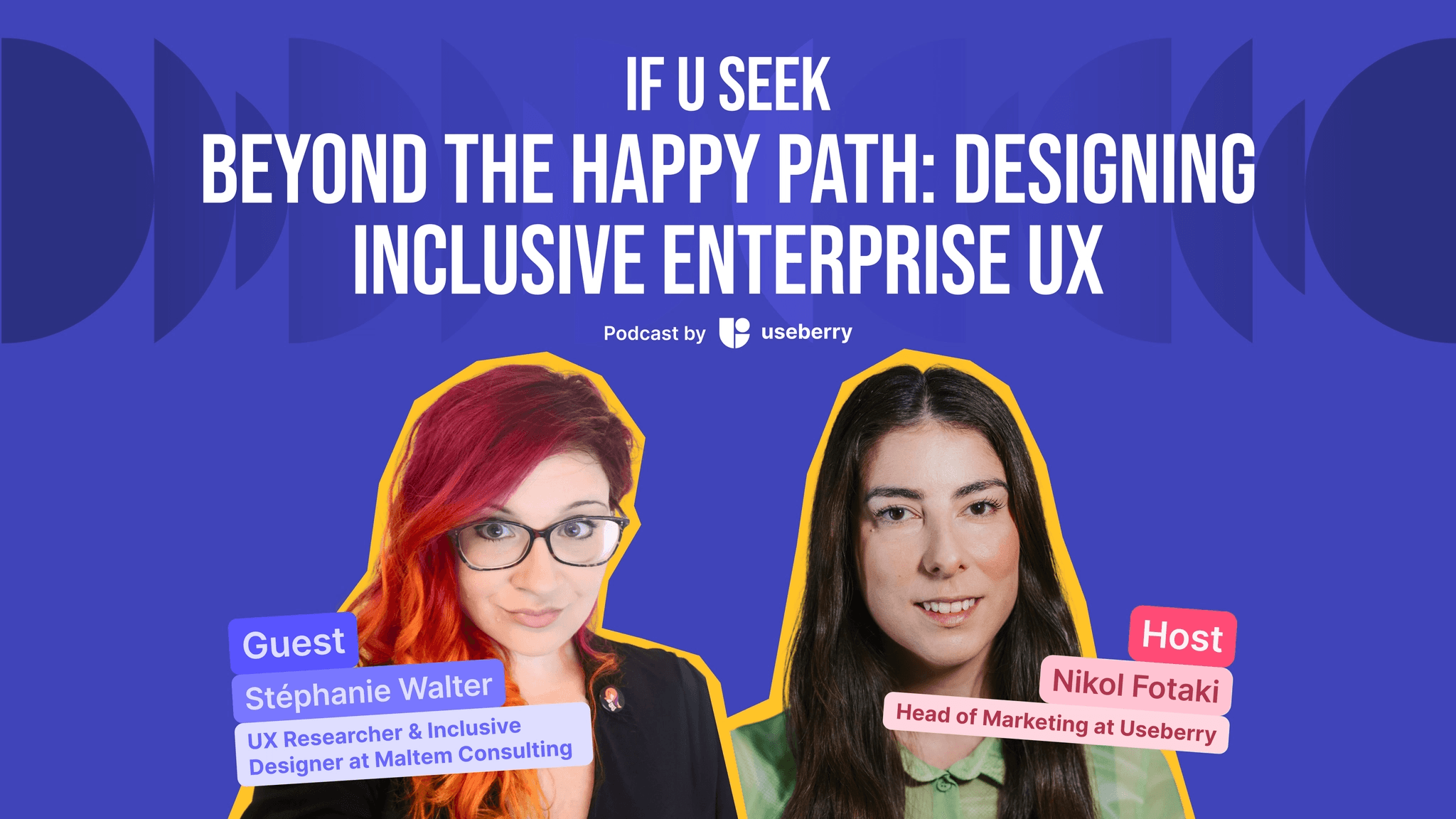
In this episode of If U Seek, Stéphanie Walter shares what it really takes to design inclusive enterprise products when workflows get messy, systems get complex, and the happy path rarely reflects reality.
In this episode of If U Seek, Nikol sits down with Stéphanie Walter, UX researcher and strategist consultant at Maltem Consulting, and one of the clearest voices on enterprise UX, accessibility, and inclusive product design.
With more than 15 years of experience across finance, automotive, and complex internal systems, Stéphanie brings a practical perspective to designing tools people rely on every day. This conversation goes beyond surface-level UX advice and gets into the real work behind enterprise products: understanding how people actually use systems, dealing with workarounds and exceptions, and designing for environments where accessibility, usability, and technical constraints constantly collide.
From Excel exports that reveal the wrong problem to data-heavy interfaces, keyboard navigation, customization, and the invisible UX decisions most teams never notice, Stéphanie explains why designing for the real world means looking past the ideal process and paying attention to what users actually do.
You can find If U Seek on Spotify, Apple Podcasts, or YouTube Music. For more of Stephanie’s work, check out https://stephaniewalter.design/.
Preview
What’s in this episode:
What makes enterprise UX different from customer-facing UX
Why the “happy path” rarely tells the full story
How UX research uncovers the real reason behind user requests
What accessibility issues show up in complex, data-heavy systems
Why invisible details like URLs, filters, and keyboard navigation matter more than teams think
Transcript
0:00 Nikol Fotaki: Hi there. Welcome back to If U Seek by Useberry. This is Nikol Fotaki, and today's episode is all about what it really takes to design products that work in the real world, especially when things get complex.
0:26 Nikol Fotaki: I'm joined by Stéphanie Walter, a UX researcher and strategist based in Luxembourg, with over 15 years of experience working on enterprise products, inclusive design, and accessibility.
0:38 Nikol Fotaki: Stéphanie focuses on understanding how people use complex systems, not how they think they use them, and turning that into practical, usable, and inclusive experiences.
0:54 Nikol Fotaki: She's also someone who actively shares her thinking through writing, teaching, and speaking, especially around UX research, accessibility, and the realities of working in product teams.
1:06 Nikol Fotaki: I'm really looking forward to this one because we'll be talking about the real challenges and trade-offs behind designing inclusive enterprise products. Stéphanie, welcome to If U Seek.
1:19 Stéphanie Walter: Hello. Thanks for having me.
1:22 Nikol Fotaki: Alright, so to start, I'd love to ground this in real work. When you think about the enterprise products you've worked on, what makes designing them especially challenging from both a UX and inclusion perspective? Can you walk us through a specific project where that complexity really showed up?
1:46 Stéphanie Walter: So yeah, I think I want to define maybe first enterprise UX because, for the listeners who are not familiar with the term, it means that I design products that get used on a daily basis by employees, basically. So in my case, depending on the product I worked on, I worked for the automotive industry where we had iOS applications and web-based products that were used by car dealerships. Now I work for finance, meaning my users are technically colleagues, but I work on the IT side, they work on the business side, and yeah, basically we are designing, developing the tool that helps them do their job on a daily basis.
2:29 Nikol Fotaki: So, yeah, very cool.
2:32 Stéphanie Walter: Challenging because we are designing the tool that the colleagues are using on a daily basis and when they're not happy, they will tell you. Trust me.
2:43 Stéphanie Walter: So yeah, in my case, it's kind of, it's really cool on one side because you work with your colleagues, so it means it's kind of easier to access the users than when I was working for the automotive industry where we had to ask to go to the car dealerships. So it was a little bit more complex at that time to gain access to the users.
3:02 Stéphanie Walter: Yeah, I think the biggest difficulty is low UX maturity and low accessibility maturity. It's really about maturity, meaning every time you arrive in such an environment, at least for me, and even working for the same client, when I arrive on a new project for this client, I still have to explain again. Explain why you need to do UX research. Explain how does it work. How is UX research different from business analysis, because sometimes they would have, I don't know about other countries, but in Luxembourg especially we have people who are called business analysts and in a lot of places they are the ones who go to the users, but they kind of ask, what do you want? What do you want? Why do you want to put it on the screen, you know.
3:55 Stéphanie Walter: OK, caricaturing, of course. I had BAs who go a little bit beyond that, but often I arrive in places where it's like, well, we have someone who talks to the users, that's the business analyst, so why do you need to talk to the users?
4:10 Stéphanie Walter: So I usually give a very specific example, where we had an interview with an end user who was explaining how she was using the tool, all of that, and she explained like, on this page, I need an export to Excel button. I was like, OK, fine. I start asking why, the analyst jumps in and he's like, OK, which column do you need to export? It's like, no, no no no no wait a minute, let me ask why. So I ask why, and I go, OK, you don't have an export to Excel button today, so can you show how you do it? So she overlines the whole table and she copies and she pastes it into Excel. It's like, OK, fine. Now what do you do with this nice table? And then she goes into the Excel filters and she goes into two specific columns and she basically removes some of the content.
5:00 Stéphanie Walter: So we work with our financial operations. And she explains, like, I don't care about all the operations that are finished. I only want to see the ones that are not finished, like the ongoing ones, and this is why I have to export the table to Excel and put a filter into Excel. I was like, if we had just stopped at the business analyst, we would have had an export to Excel button on the screens, and then the lady would still be exporting the stuff to Excel to see the active operation. But we work on the web. We can actually add, you know, filters and tables in the browser. So that's kind of the big difference, you know.
5:39 Stéphanie Walter: It's at some point when you start asking why and when instead of just listen, I'm not saying you should not listen to people, but if you listen to them, you observe them and you ask them, OK, you don't have that. How do you do it today? Walk me through, show me how you work. Then you arrive to a place where people are like, oh, actually, yeah, I don't really need an export to Excel. It's just the way I do it today. If you give me a filter that lets me remove the non-active ones, I would be perfectly fine. Even better if they can be filtered out by default, and then if I need to see the older back, OK, fine, you know.
6:13 Stéphanie Walter: And we have to do a lot of things like that where we explain to people, OK, the difference and the reason why I want to go to the users and talk to them is because we need this kind of data. If we want to build tools for people, that are usable and actually used, because you can build something, if it's not used, it's not very really worth it, then we need this sort of thing. So it's a lot about advocating as to why we need the UX researcher, UX designers, and then the same for accessibility, you know.
6:46 Stéphanie Walter: Often people don't know a lot about accessibility or they kind of know about building accessibility. It's like, oh, we have an elevator and we have a sports team and there's like one guy, he's in a wheelchair and he's playing tennis. It's like, OK, cool, nice, you know. But then when you start talking about accessibility of digital tools, of systems that people have to work with on a daily basis, a lot of the people again in enterprise, they have no idea this exists, basically. So you have to then again explain a lot and go into a lot of levels of explaining your job, why it's important, over and over again.
7:26 Stéphanie Walter: So I think yeah, that's I think the biggest challenge. I think after 15 years, to advocate for what you do as if it was year one of your career, you know. Yeah, I'm a consultant. I kind of signed for that, I guess, as being a consult consultant who works with multiple clients. But yeah, I think that's kind of the challenge sometimes when people don't really understand what you do and why they would need it.
7:53 Nikol Fotaki: Mm, yeah, that's very interesting after 15 years, yeah. And it really shows how layered the kind of work is and, and I guess like once that complexity is there, you just can't remove it, you have to work with it, you have to deal with it.
8:11 Stéphanie Walter: Yeah, exactly.
8:13 Nikol Fotaki: So, let's go a little bit deeper into that. So, can you walk us through a case where you had to design around a very complex workflow or data-heavy interface? What made it difficult and how, how did you approach it? What did you decide to simplify and what couldn't you simplify, even if you wanted to?
8:38 Stéphanie Walter: So I don't have a concrete example because it's every single day. It's all the time, you know. So at the moment we are working on very complex processes and I think the complexity is that there is one happy path, it exists, but then once you start talking to the user, this happy path actually has hundreds of exceptions.
9:03 Stéphanie Walter: So you'll have, like, in theory, a process somewhere written by some people. This is how we are supposed to work. And then you have the reality of how people actually work. So often in this case what we tend to do is we try to have a visualization of the process, meaning user flow or I don't remember how the analysts call it, but it's like you have a Microsoft tool to visualize these very complex processes. Sometimes it goes into too much detail even for us, so we try to kind of understand from a user perspective what is the process, what tool they have to use because sometimes they have to do something in multiples.
9:47 Stéphanie Walter: So this kind of exercise where you try to map the process, which is kind of in between a user journey map because you will have multiple tools and systems and a user flow. You would have this kind of happy flow and then all the variants around it. So I think what helps is really having a visual way to not forget about anything in those very, very, very complex processes to make sure that you cover everything.
10:13 Stéphanie Walter: And in order to do so, often you want to talk to the end users because I've been in so many situations where I talk to the users and when I ask them how do you work and they explain to me something, I'm like this is not how the business people explained at the beginning of the project that the users were working. So what is happening in here, you know, and sometimes you have this kind of conflicts where some parts of the place where you work want to push a process, and some other parts of the silo, or the group, or the people, depends, they don't want to change the way they work, so.
10:53 Stéphanie Walter: It's, yeah, that's I think like a big challenge with complexity. It's not that much about how much data you put on the screen. It's also the complexity of the processes and making sure that you find kind of an in-between where everyone will be able to work with the system, even though they don't always 100% follow the process and might need some workarounds or not really backdoors, but sometimes they will do something outside of the system.
11:22 Stéphanie Walter: To give you a concrete example, we have a way in the system for people to review stuff, but then some of those people, when you talk to the assistants, they go, yeah, but you know, my boss, he doesn't want to go into IT systems, he wants me to print the stuff and then he reviews, he writes the review on the piece of paper and then I have to bring the changes to the system. And that's not going to change, you know, you don't say no to your boss.
11:53 Stéphanie Walter: So you have this idealistic way of working where everyone goes into the system. In reality, you have to accept that you will never cover all the cases, so you need to have some flexibility in what you design so that people can still work with the tool, not being blocked, but still enforcing these complex processes.
12:14 Stéphanie Walter: And then, yeah, you have the data and often it's kind of the same. A lot of people will need the data, but then we have big screens actually, but we also have people who have a very small resolution on those big screens because since the screen is so big, the data is small. So at the end of the day you have a big screen, but still not a lot of data. You cannot display that much data because it's so zoomed in.
12:40 Stéphanie Walter: So what we usually do is we apply principles like progressive disclosure. That is, find a common denominator, denominator. So you have to design this, I don't know, 20-column table. What are the 5, 6, 7 table, not table, columns everyone needs, and those go to the left because they will, everyone will see those and then the further you go to the right, the less you see, so.
13:12 Stéphanie Walter: Either you have gigantic tables, horizontal scroll, or sometimes we have mechanisms like we know some parts of the bank need some data, the other part needs other ones, and some people are in between and depending on what they're working on, they need some data and then others. So we end up with ways to show, hide columns. So we have a lot of customization of the interface. And the goal, like often you have designers who will go like, yeah, but if you put customization it means you fail as a designer because you don't want to take, like design is about making choices.
13:50 Stéphanie Walter: Yeah, but at some point if you have many people who need the same set of data but in a different way, you cannot choose for them. The only thing you can do is make sure that they have all the data they need and then depending, it's flexible enough so that they can choose. Sometimes I need this column. It's mostly about dates or numbers or figures. Do you need the dates? Do you need the amounts? Things like that, depending. So yeah, we have a lot of customization mechanisms in a lot of the views so that again you can work with it the way you want to work with it.
14:28 Stéphanie Walter: So we have the theory of everyone needs that and then the actual thing where people can customize. But never try to oversimplify because if we try to do that, then people are lacking some data and may not be able to do their job.
14:44 Nikol Fotaki: Yeah, it's, so it's like you're removing what users actually need.
14:49 Stéphanie Walter: Yeah, exactly.
14:50 Nikol Fotaki: And I guess that's where your experience really shows, so knowing what to leave in, what to take out. And to even understand that level of detail, research becomes really important, and in these environments, it's not always straightforward. So what does UX research actually look like in these contexts, where users are busy, workloads are complex, and access can be limited?
15:26 Stéphanie Walter: So here again, it depends. At the moment I'm very lucky because I work internally for the clients, meaning I in theory have access to anyone. That's theory. In practice, often you might need to wait for approval. Sometimes they might want to cherry-pick a couple of people, they might want to ask for volunteers.
15:49 Stéphanie Walter: So even if in theory I have some names I know I can contact, I often need to ask permission and ask for, which is again perfectly fine. You want to make sure that you don't bring chaos to the people and they have a job to do. So on a daily basis they cannot just be bothered with everyone in IT asking them questions.
16:13 Stéphanie Walter: So we do a lot of things where even though we know who we want to contact, it might take a couple of weeks to put everything in place and all of that just to make sure that they know they will need to give us 1 hour in the next 3 weeks and they agree on all of that. But often once this is in place, people are very reactive. Like in UX you often have a lot of no-shows. I have to admit that here for now, most of the time I have 20 sessions. I have like one person who doesn't show up and they would often send me a message on Teams like, oh sorry, I have a meeting, can we reschedule, you know.
16:48 Stéphanie Walter: So I think it's, you know, an amazing rate because if you do research in B2C you have a lot of no-shows. So they're actually quite involved, at least on the projects I worked for, because it's things they have to work on on a daily basis.
17:05 Stéphanie Walter: And then I think the methods are always kind of, I don't know how often you do observational studies, for instance, if you do B2C research. We do that a lot. A lot of the research we do is like, OK, we want to work on this specific topic. Please show me how you do that today. So at the moment we're working on understanding how people organize their work on a week. So it's like we have a script for the interview with a couple of questions. And often it goes into the direction of, oh, this looks fun, interesting. Can you show me?
17:44 Stéphanie Walter: And often people organize their ways in so many different flavors of, I use Outlook, I create an Excel sheet, I use tasks, I have sticky notes on my desktop, I have, honestly, I have no idea how you put sticky notes on a Windows desktop. Like, I don't know. I didn't even know this feature existed. So you end up in this, oh, please share your screen, show me and stuff, and we collect a lot of artifacts like that. I have tons of screenshots of Excel sheets people use to work, and I tell them I'm not interested in the data. I usually ask them, can you send me the Excel sheet so I can screenshot it and you can remove the data. I'm interested in the structures, the columns, things like that.
18:32 Stéphanie Walter: So it was the same for when I was working in car dealerships. We would do a lot of observation. Like I spent a whole day shadowing a team in a car storage facility to understand. We did kind of the car journey. It's weird because the car is not a user, but basically you bring the car back to the storage facility, they were doing rental.
18:57 Stéphanie Walter: And this was a storage facility for rental cars, and they were losing cars because of the way they were working, because like the car arrives, you clean it up and then you park it somewhere, and on the key you put a piece of paper and you put the number, but then someone has to move the car for a reason, and then another colleague moves another car and then nobody updates it and then 3 days later it was like, but this car, this is the number, it's not in the parking spot. Where is the car? And they said, yeah, sometimes it takes us a whole day to find the car.
19:29 Stéphanie Walter: It's like, hey, and I'm able to explain that to you because we literally spent the whole day. We went there, we followed the car, we observed that and all of that, so. I think it's very important when you work in enterprise, in tools that people use on a daily basis, to be allowed and to have the opportunity to go and really observe how people do the job because otherwise you cannot really design or develop the tools that are supposed to help them do the job.
19:57 Stéphanie Walter: So I'd say yeah, like in terms of our methods, we do a lot of observation. Then there's also a lot of jargon. I'm so tired of acronyms again. So many acronyms everywhere and at the end of the day, I have to ask people about the acronyms. I have a glossary of the acronyms and all of that because again, you arrive in, how can I say? You arrive and you observe people who are used to working in a certain way and they have their own vocabulary.
20:31 Nikol Fotaki: Yeah, yes.
20:32 Stéphanie Walter: So sometimes you need to be prepared. Maybe you need to, like, often I ask analysts or other people, OK, I'm going to work with this part. Is there anything I need to be aware of? Are there going to be real names or stuff that I need to understand in advance just to be able to be sure that when they talk to me and they say something that I don't quite catch, I'm still able to follow, you know. If really I've never heard of it, I will ask them to explain, of course, but sometimes you don't have the time. So yeah, research is also about making sure that the weird jargon that the users use, you are familiar with it, otherwise you struggle a little bit as well.
21:13 Nikol Fotaki: Wow, yeah, I get the acronym struggle.
21:16 Stéphanie Walter: Oh, I, I, I just, I don't love them. I don't love them.
21:22 Nikol Fotaki: So, and have you ever discovered that people were using the system in a completely different way than it was designed for?
21:32 Stéphanie Walter: Oh.
21:35 Stéphanie Walter: I have interviews that are recorded during the interview, in my mind I was like this is a security breach. I will not put that in the... we have a lot of shadow IT and sometimes people do stuff, you're like, OK, you're not allowed to do that, you're not supposed to do that, and I've never heard that you're doing that. I don't want you to get into trouble. Let's talk about something else, you know.
22:03 Stéphanie Walter: So yeah, we have stuff like that. We have a lot of shadow IT. So we have people who will use Excel for anything, which I'm amazed by. For the future, I don't really have users who use things in a weird way, but I have the opposite. We have multiple tools that are linked to our main tool, and people are so used to using our tool to access the rest that sometimes they report bugs that are not on us, you know, this is the other tool, but for the end user, they arrive on our tool and we built a very, very advanced search. And a lot of the other tools have a crappy search.
22:59 Stéphanie Walter: So what they do, they search for something in our tool and then they expect direct links to the same thing in the other ones. So our search has kind of become super complex with a lot of filters.
23:06 Stéphanie Walter: No, actually, yeah, the search is a good example because people don't, people search, but they also don't search, meaning, so you have someone who is looking for something. OK, good. Yeah, so people who use the search because they have a colleague who works on a specific type of operation and they want to see what it looks like or they want to do something else in the system. They don't know if this something else exists, but so you have people who would say, yeah, I work with, I don't know, trains in this country, so I want to check what other things were done with trains in this specific area of the country.
23:48 Stéphanie Walter: So they are searching, but they don't really know what they're looking for, you know, they're kind of fishing like, oh, I'm working on that, so I'm curious to see what exists in the system. So that's the second type of search.
24:01 Stéphanie Walter: And the third type is basically people who want to build lists. They do not care about clicking on the search results and arriving on the page. They care about, I want to search every single thing between this date and this date for this country with this type of thing and then so they will build a gigantic query that is an extract of the database because then they want to do reporting on those items. Which is again super weird because it's not a, it's not really a search, you know, but once you understand that they do that because the other tools' search is less user-friendly than ours, then you understand why our search became this kind of gigantic thingy where you have tons of filters that are again non-mandatory. They can add and remove them.
24:50 Stéphanie Walter: So yeah, we have a search that is not used for searching or not actually used for finding things, you know, more like for building lists basically, yeah. I think it must be the case for other tools. Like I think in, I don't know, I can imagine that when you have a database like a movie database, I could imagine that some people, they might not want to check every single movie. They might want to have a list of movies with that actor and something like that. So I don't think it's specific to our product. I was just super surprised the first time. I was like, but why do we have this very weird filter that brings free stuff from the database?
25:35 Stéphanie Walter: Yeah, because. Building lists with the search tool. So of course we have an export to Excel button to export that list. The things you find out.
25:48 Stéphanie Walter: Yeah, it was the same for car dealerships. We had this application that was supposed to... the car dealership, no, the car mechanic was working on the car and then they discover a problem that was not foreseen and it was supposed to take a picture of this problem and then you can send it to the client with an invoice asking, hey, do you want to do the extra repairs? If you answer by 2, we can still do it today. That was the use case.
26:13 Stéphanie Walter: And we discovered that in a lot of car dealerships, what they ended up doing, they would, when the car would arrive, they would take a full video of the car to check if it had scratches or anything, and they would just attach this to the client's folder. They would not send it to the client, but still they had this application that was linked to the specific car number and all of that. It was a new way for them to cover basically in case the client complains like, oh, I had a scratch. You gave me my car back, but this scratch didn't exist. Well, let me check the video.
26:51 Stéphanie Walter: So we were not expecting that, you know, but since we provided car mechanics with a way to take pictures and videos of a car that was supposed to be only in case of problems, they were like, no, I'm going to record the whole check-in of the car when it arrives, keep it in the client's folder hidden for us in case the client complains. Like, huh, that's interesting. So maybe it should be kind of a feature, you know, of the application then. So we can at least have a tag so they know exactly if it's a video for the client or not, you know. So yeah, you build something and sometimes people use it in a fun way. It's like, oh. Very interesting. Let's make it a feature.
27:35 Nikol Fotaki: Yeah, and building on that idea of real-world usage, in these kind of systems accessibility becomes another layer that isn't always obvious from the start. So in complex, data-heavy enterprise systems, what kinds of accessibility issues tend to show up that teams don't initially anticipate, and can you share an example where accessibility actually changed or challenged a design decision?
28:12 Stéphanie Walter: Often keyboard accessibility is forgotten. So this is, like you will have designers who will design gigantic tables and all of that, and then the users are like, how do I navigate that with a keyboard? Or even the search, like, we have complex filters, people want to do tab, tab, tab and be super quick and add things. So often when I work with developers who are not used to keyboard accessibility, we have to explain, we have to not train them, but at least explain what is expected because we have a lot of users who actually use keyboard navigation and who will complain then.
28:52 Stéphanie Walter: Like I remember having a discussion with someone who was complaining that in the previous version they could just really quickly use tabulation very fast to go through the stuff and in the new version it didn't work anymore and they were losing a lot of time because then they had to move the mouse and all of that, which sounds from an external perspective like, I don't know, like, OK, but you have to imagine if the person does the same thing over and over again all day long. Of course, if they have to do a lot of movement instead of just using keyboard navigation, they will be annoyed. So it's actually a legit case.
29:32 Stéphanie Walter: So keyboard navigation and then I think responsiveness is also something that I have to fight for a lot because often people think that responsive design is for mobile phones, which it's legit. We use it for mobile phones, you know, and they're like, yeah, but we have so much data and no one is using the stuff on mobile, so we don't really need it to be responsive for mobile, except that responsive design, when done well, it also helps with layout shift when people zoom in in the interface, for instance, or when you have someone who has a giant screen but a very poor resolution.
30:11 Stéphanie Walter: We usually design now at 160. That's the default that we have. We have a lot of people who have a 120 screen because we have super big screens. It's just that they go into the Windows settings and then switch it to something lower, and I asked, like when I went to change my computer, I asked the guy like, what is the default resolution you put on the screen, and I explained like I'm surprised to see so many users who have this very narrow resolution, and he says, yes, a lot of the people come back, explain that with these 13-inch screens it's too small, and then we have to put back a very, I don't know if you say big or smaller resolution, but basically everything becomes super big.
30:55 Stéphanie Walter: And when you have an interface that is responsive, then normally, at least if you zoom in or if you display it on a smaller screen, it is supposed to adapt. So that's also something, like responsive design is not technically an accessibility feature, but if you make your website responsive, sorry, you usually make sure that you don't have hidden elements when it gets smaller, layout shift and stuff that vanish. So it's also something like that, you know.
31:23 Stéphanie Walter: So it's kind of, it's in the small detail, but it's super important for a lot of our users as well, because we have people, yeah, and they will zoom in because they have poor eyesight at some point. Even I sometimes have to zoom in at the end of the day when I'm tired and all of that, so that's super important for them.
31:45 Nikol Fotaki: Yeah, and it really shows how these considerations need to come in. Even the small details, as you mentioned, are actually big.
31:56 Nikol Fotaki: Yeah, and all of this leads to a lot of trade-offs in real projects, because in the end, you're always balancing multiple constraints. What's the situation where you had to make a difficult trade-off between usability, accessibility, and technical constraints, and what drove that decision in the end?
32:23 Stéphanie Walter: So, often the trade-off is when we don't have, how can I say? When we don't have full flexibility on the technology, meaning sometimes you end up using a no-code solution and then you have to basically use the little Lego bricks that they bring, but then if it's not accessible, you cannot do much about it. Like I opened a ticket to one of our providers asking to underline the links because my main color was orange and if you have an orange text in the middle of a black text, and it's not underlined, you might have issues with color-blind people, for instance.
33:12 Stéphanie Walter: So here's a trade-off. It was not really a trade-off, we just didn't have a choice, you know. A technology was chosen and it was. It's also the same, like even if it's not a no-code technology, I remember we had to work with specific JavaScript frameworks like React or Angular frameworks and some of those again didn't have accessible components to start with. And then if you can choose the framework at the beginning, it's fine, but then when you arrive on a project where they're already using a framework, they've been using it for years and years and years, you're kind of stuck.
33:48 Stéphanie Walter: So you can improve things like colors, you can ask to underline the link, you can make sure you have a keyboard, even keyboard navigation might be tricky because sometimes if you get the components, so a lot of trade-offs often come from technology. Or time when you don't have time to implement, which is always kind of a little bit sad.
34:12 Stéphanie Walter: So yeah, and then you also have usability trade-offs because again, if, so one of the big ones we had but we ended up solving was we were using Material UI on specific projects and the tables in Material UI are nice. Except when you work in finance, you want an Excel sheet in the browser. So the trade-off was that I did user research, so we used the ones that we had and then I brought user research to say, look guys, it's not enough. I need more. I need filters. I need them.
34:48 Stéphanie Walter: And then since we had user research, the developers were already convinced, you know, but you have to convince people higher to say, OK, we're actually taking, honestly I don't remember how many months, but I had a developer really work on tables to bring them to the level of usability and accessibility that we wanted for our users. So I was lucky honestly, but at the same time tables are used everywhere, so it was a good investment for this too, you know, so it was not that hard to justify, but we still had to wait for this to be developed and all of that, so.
35:29 Stéphanie Walter: So yeah, often it's technical constraints. Sometimes you are lucky, you can push to change technology or to develop something custom for something specific, whether it's for accessibility, usability, or both. Sometimes you cannot win and then you try to do your best with what you have at the end of the day. It's always kind of tricky.
35:54 Nikol Fotaki: Yeah, it involves a lot more context than people actually see. There's a lot going on behind.
36:01 Stéphanie Walter: Yeah.
36:02 Nikol Fotaki: And I think a lot of that work stays pretty invisible also. And yeah, so what's something you worked on in a product that had a big impact on the experience, but most people in the company probably never noticed?
36:21 Stéphanie Walter: Having the ability to have URLs that you can share. Oh, because yeah, we migrated a very old tool that was developed 18 years ago at that time. I don't remember the technology. I think it was Java applets, something like that, but basically you had one URL and then everything was loading, reloading in the screen. So you had like 10 different pages technically, but they all had the same URL.
36:55 Stéphanie Walter: So at that time what they did is every single page had an export to PDF so that users could actually share the data. In the new system we decided to have URLs for everything, including search results. So the whole search query is in the URL, meaning if you do a super long query, you can bookmark it, you can relaunch it as many times as you want, and that's something that users loved.
37:14 Stéphanie Walter: And here we did a big job on having URLs that are readable for human beings, meaning like the whole path makes sense. It's like something, then slash, you go down one level, then the number, then slash and it's kind of, I don't think a lot of designers think about the user experience of URLs, but once you understand that you end up with people who build gigantic tables with a lot of financial operations, contracts, and all of that in the table. And the first thing they have at the beginning of the table is this URL. It's super important for them to see actually very quickly based on the URL what it is, what is the number, the ID, all of that.
38:04 Stéphanie Walter: So yeah, I didn't expect honestly URLs to be that important, but at the end of the day, yeah, it's part of those kind of invisible parts of user experience that in very specific contexts make a lot of sense and you want something self-explanatory for the end users. That's super important. It's what makes the biggest difference.
38:35 Nikol Fotaki: So I've never heard of this. Great example.
38:40 Nikol Fotaki: Yes, Stéphanie, thank you. This was such a grounded look at what it really takes to design inclusive, complex products in real-world situations. Thanks so much.
38:54 Stéphanie Walter: Thanks for having me.
38:56 Nikol Fotaki: OK, so we'll include links in the show notes to Stéphanie's work, including her website, LinkedIn, and social profiles. Thanks to everyone listening to If U Seek by Useberry. See you next time.
If you came to the end of the episode and looking for more, check out our previous episode on The rise of Growth Design.

