Language Customization for User Interviews in Useberry
•
4 min read

Customize participant-facing language across your Useberry Interviews flow, from scheduling and booking details to cancellations and key interview messages.
Great user interviews do not start when someone joins the call.
They start earlier.
When a participant opens the booking page.
When they choose a time.
When they review the interview details.
When they need to reschedule, cancel, or understand what happens next.
Those small pieces of text might look like simple, but they shape the participant experience long before the conversation begins.
That is why we’re introducing Language Customization for Useberry Interviews.
You can now manage and customize participant-facing language across the interview experience, from scheduling and booking details to availability messages, rescheduling, cancellation flows, and key interview messages.
Because before you can uncover the “why,” participants need to understand the “where, when, and how.”
Make the path through every interview clearer
Moderated studies rely on trust and clarity. When participants understand what happens next, they can move through the experience more comfortably and arrive at the conversation ready to share useful feedback.
But default messages do not always fit every audience, market, or research context.
A booking message might need to feel more local.
A cancellation flow might need clearer wording.
A high-touch customer interview might need a more polished tone.
A localized study might need participant-facing messages that match the language of the experience.
With Language Customization, teams can adapt the words participants see throughout the interview flow, helping every user interview feel easier to follow.
Customize the words participants see
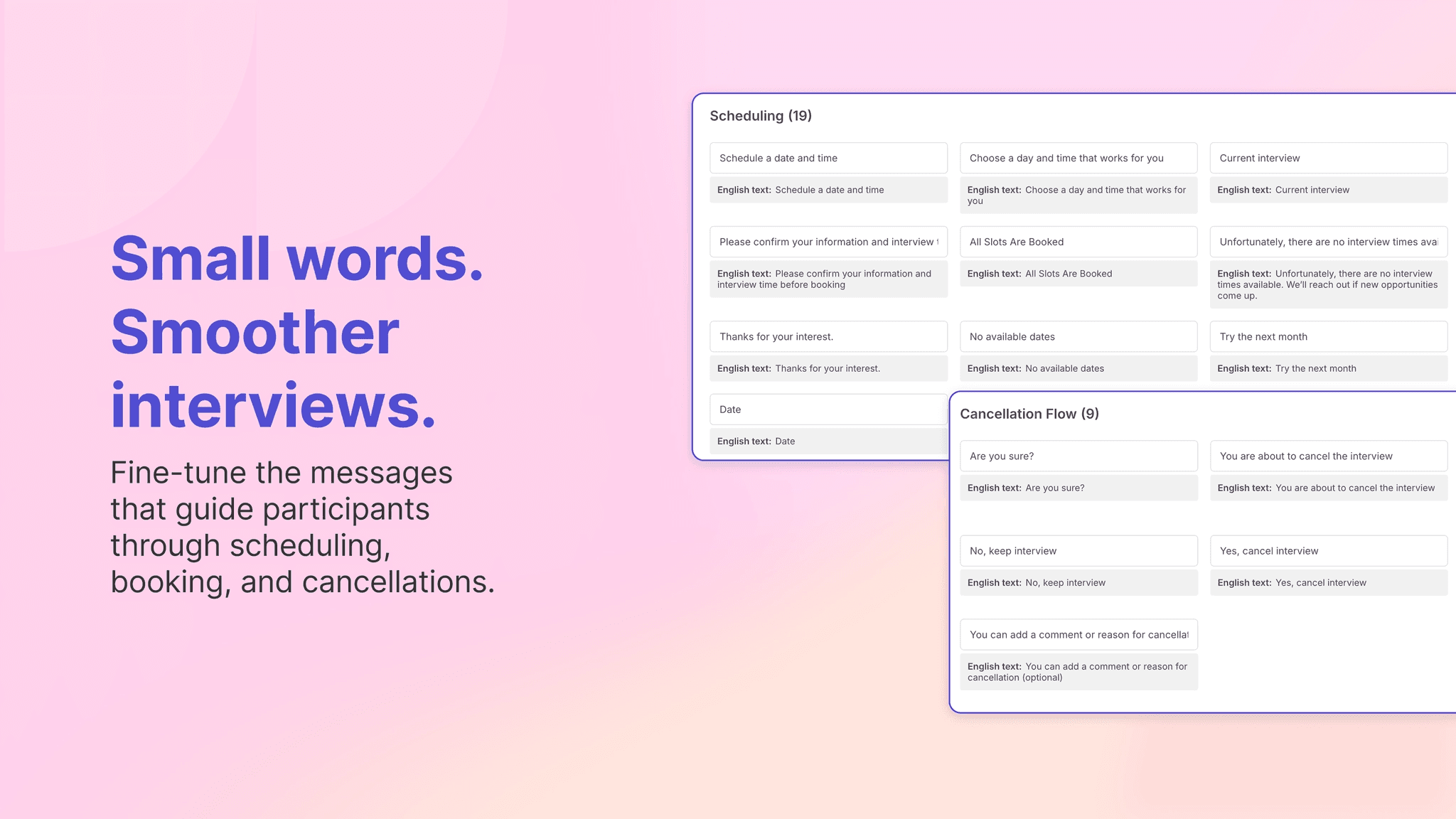
You can now customize participant-facing language across key parts of the Interviews flow, including:
Scheduling messages
Booking details
Availability messages
Rescheduling text
Cancellation flows
Key interview messages
This helps teams reduce confusion, avoid extra back-and-forth, and keep the participant experience aligned with the study, audience, and brand tone.
Small words, big research ops job.
Make interviews feel local
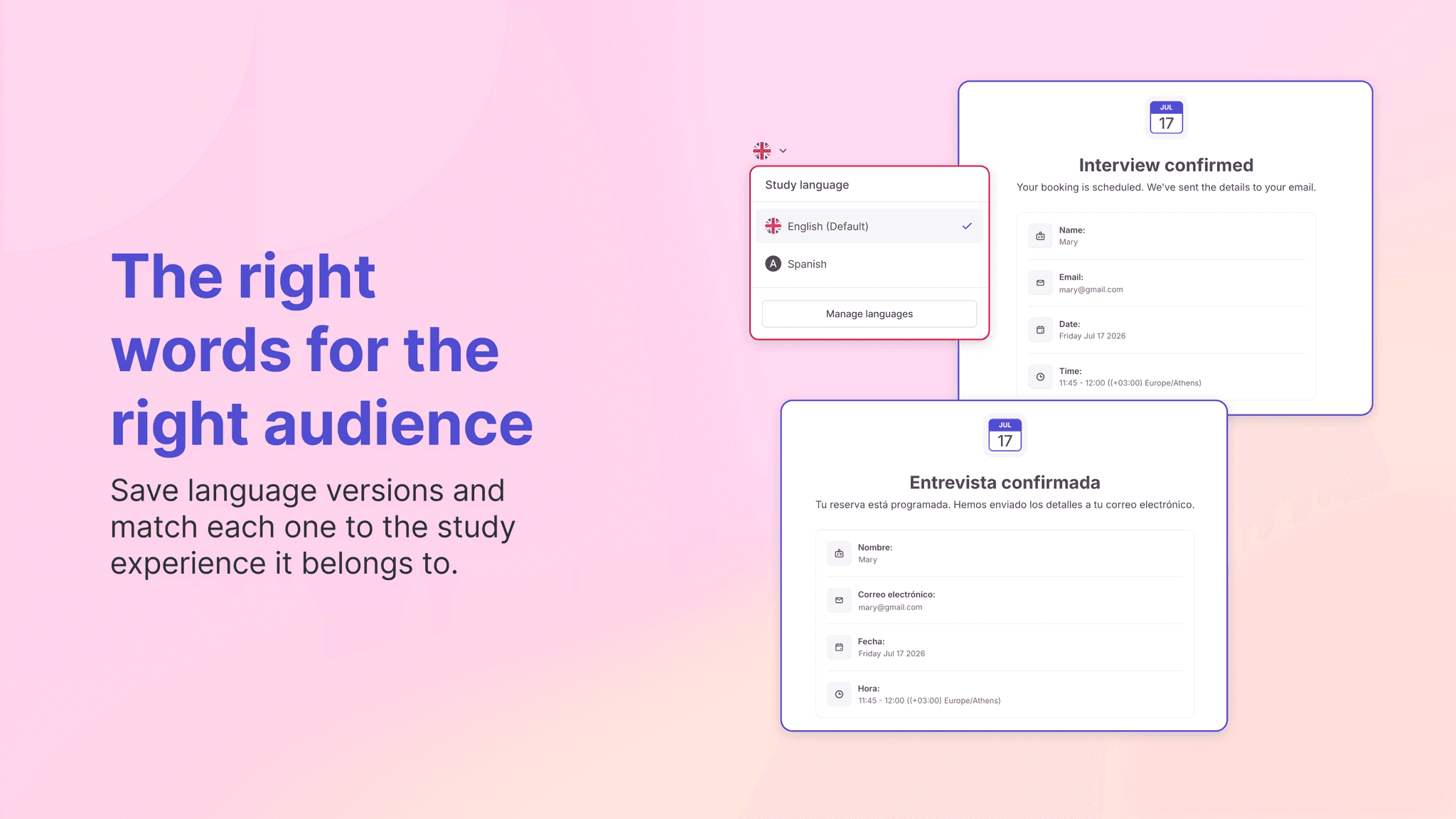
For teams running user interviews across regions or languages, the participant experience should feel consistent from the first interaction to the final message.
With Useberry, you can create and save participant-facing messages in different languages, then use the right one for each study experience.
This is especially useful when the research experience itself is localized, such as a prototype, website, task flow, or moderated study created for a specific audience.
The result is simple: participants see language that feels familiar, clear, and connected to the study they are joining.
Keep your wording consistent with your brand and study tone
Not every user interview needs the same tone.
An enterprise customer interview may need to feel formal and polished.
A consumer concept test may need simpler, friendlier wording.
A regional market research study may need language that feels familiar to that audience.
Language Customization gives teams more control over those details, so participant-facing messages can better match the research context.
Instead of relying only on default system text, teams can make the interview flow sound more intentional and clear.
Useful for different moderated studies
Interviews Language Customization can help teams running:
International user interviews
Localized moderated studies
Brand-sensitive customer research
Market research across regions
High-touch participant recruitment
Study-specific preparation flows
Whether you are speaking with customers, prospects, users, or niche participant groups, clearer language helps people understand what to do as they move through the interview experience.
How it works
To customize language in Useberry Interviews:
Open your Interviews study.
Go to the language settings.
Select Manage languages.
Open the Interviews tab.
Edit the participant-facing messages.
Save your language version.
Use the right version for the relevant study experience.
The goal is not just to edit text. It is to make the path through every user interview clearer.
A better user interview starts with clearer communication
User interviews help teams understand what people think, feel, need, and expect.
But the experience around the interview matters too.
With Interviews Language Customization, teams can make scheduling, booking, cancellations, and key interview messages clearer for every audience throughout the interview flow.
Speak their language throughout the interview experience.